Quick Start
You need three things to render a 3D scene:
- The NuGet package installed and scripts referenced (see Installation).
InstanceCreatorBaseregistered in DI.- A Razor page with a
BabylonCanvascomponent and anIDataobject.
The fastest way to see something on screen is to pass a ChemicalData object —
it builds the entire scene (camera, lights, meshes, materials) automatically.
But ChemicalData is just one implementation of IData; you can render any 3D
scene by writing a custom SceneCreator (see Custom Scene).
1. Render a Scene with ChemicalData
ChemicalData holds a list of atoms (with 3D coordinates) and bonds. Build it
once during OnInitializedAsync:
@using Babylon.Blazor
@using Babylon.Blazor.Chemical
@rendermode InteractiveAuto

<h1>Water</h1>

<p>Chemical formula of water is <ChemFormulaViewer FormulaText="H2O"/></p>

<div style="height: 600px;">
    <BabylonCanvas CanvasId="Canvas1" SceneData=@PanelData>
        <LoadingTemplate>
            <div>Loading...</div>
        </LoadingTemplate>
    </BabylonCanvas>
</div>

@code {
    ChemicalData PanelData { get; } = new ChemicalData();

    async Task InitDataAsync()
    {
        await Task.FromResult(1);

        PanelData.Atoms.Add(new AtomDescription() { Name = "O", X = 2.5369, Y = -0.1550, Z = 0.0000 });
        PanelData.Atoms.Add(new AtomDescription() { Name = "H", X = 3.0739, Y =  0.1550, Z = 0.0000 });
        PanelData.Atoms.Add(new AtomDescription() { Name = "H", X = 2.0000, Y =  0.1550, Z = 0.0000 });

        PanelData.Bonds.Add(new BondDescription(1, 2, BondDescription.BondType.Single));
        PanelData.Bonds.Add(new BondDescription(1, 3, BondDescription.BondType.Single));
    }

    protected override async Task OnInitializedAsync()
    {
        await InitDataAsync();
    }
}
2. What Happens Inside
When the component renders:
BabylonCanvascallsInstanceCreatorBase.CreateBabylonAsync(string canvasId)to get aBabylonInstance(the C# side of the Babylon.js engine).- The canvas detects that
SceneDataisChemicalDataand creates aMoleculeCreator. MoleculeCreatorbuilds the scene: camera, lights, spheres for atoms, tubes for bonds, and materials with element-name textures.- The render loop starts and the scene appears on screen.
3. Canvas Parameters
The BabylonCanvas component accepts these parameters:
| Parameter | Type | Default | Description |
|---|---|---|---|
CanvasId |
string |
"babylon-canvas" |
Unique HTML id for the <canvas> element |
SceneData |
IData |
— | The data to visualize. Pass any IData implementation — ChemicalData for molecules, or your own class for custom scenes |
UseAutoRotate |
bool |
true |
Whether the camera auto-rotates around the target |
IdleRotationSpeed |
double |
1 |
Speed of the auto-rotation |
LoadingTemplate |
RenderFragment? |
"Loading..." |
Custom content shown while the engine initializes |
4. Container Height
The <canvas> element fills its parent container. Set an explicit height on the
wrapping <div> so the canvas has room to render:
Bond Types
BondDescription.BondType supports three values:
| Value | Rendering |
|---|---|
Single |
One tube connecting the two atoms |
Double |
Two parallel tubes |
Triple |
One central tube plus two offset tubes |
Error Display
If something goes wrong, ChemicalData can show an error message on the canvas
instead of a molecule:
Beyond Molecules
ChemicalData is the quickest way to get a 3D scene running, but the library
is not limited to molecules. You can render spheres, boxes, cylinders, tori,
tubes, sprites, and custom materials in any combination.
To build your own scene, create a SceneCreator subclass and a custom canvas
component. See Custom Scene for a full walkthrough.
Demo Output
The SSR demo application renders these scenes:
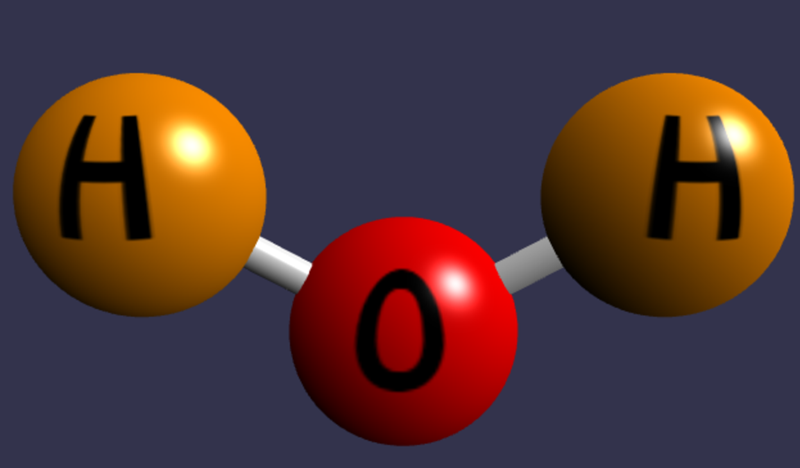
Water (H₂O)
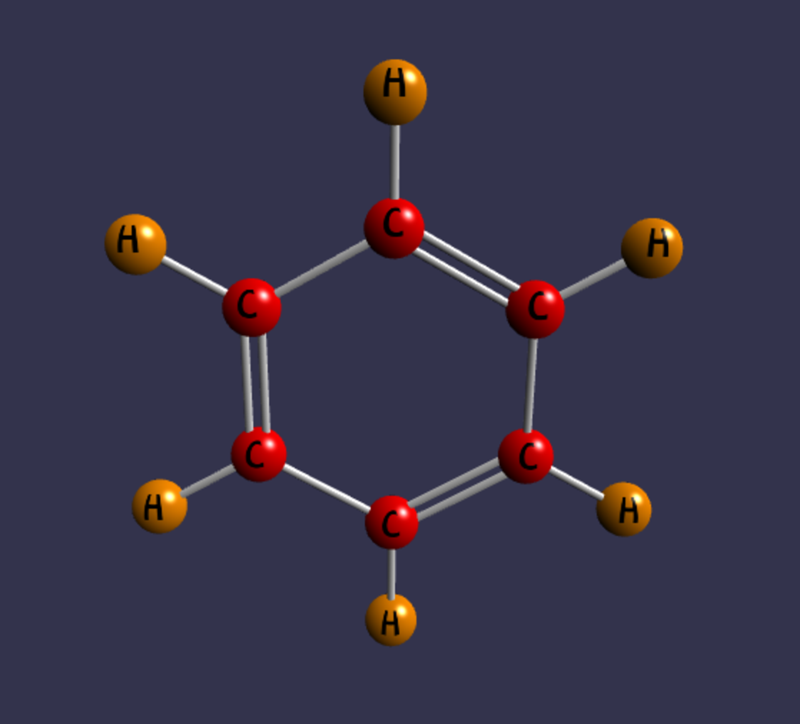
Benzene (C₆H₆)
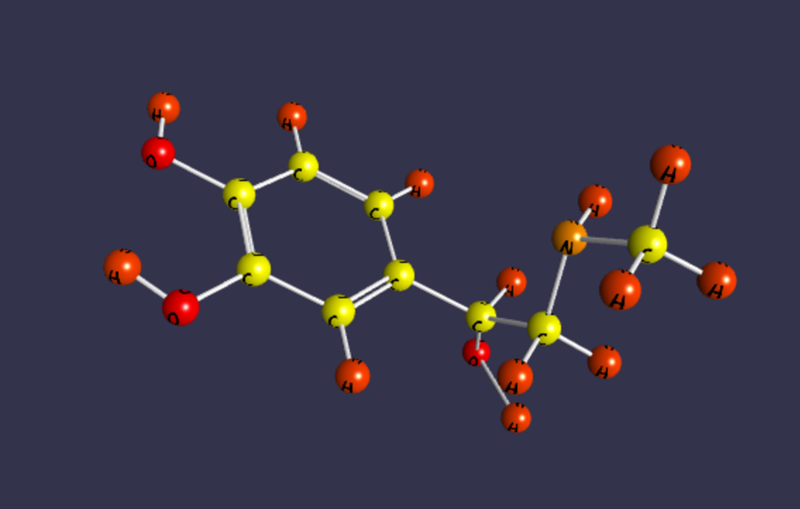
Epinephrine (C₉H₁₃NO₃)
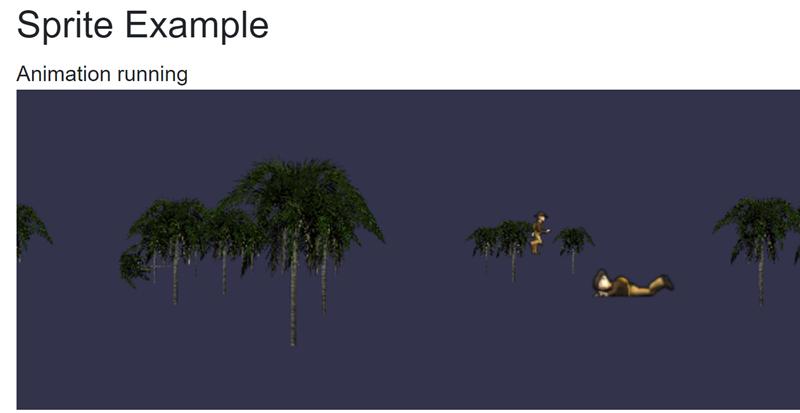
Sprites
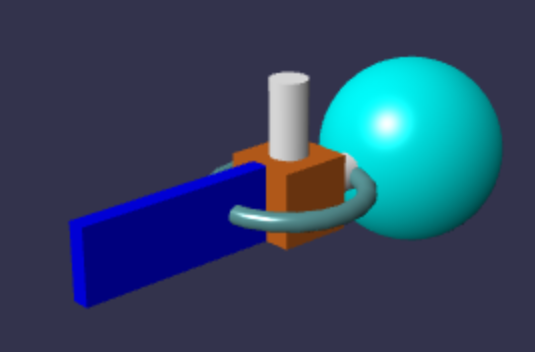
Custom scene (sphere + box)
Test scenes