Backup Mode
Backup mode creates a timestamped copy of your database into a new database on the destination server.
When to Use
- You want a point-in-time backup before making changes
- Creating a snapshot before a migration
- Keeping historical copies on the same server
What Happens
- Creates a new database — auto-named with timestamp (e.g.,
my_app_backup_20260723_143015) - Runs a Full copy into the newly created database
- Leaves the original destination untouched
Database Naming
The backup database name follows the pattern:
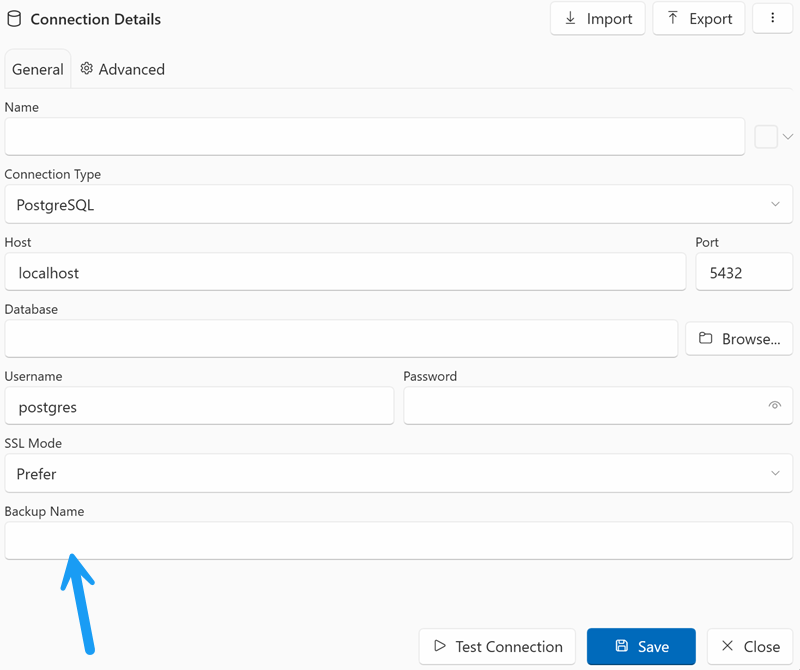
The prefix is the source connection's Backup Name field; if it is empty, the source database name is used.
You customize the prefix per connection: open the Connection Manager (toolbar → Connections) and fill in the Backup Name field (e.g., crm produces crm_backup_20260723_143015).
Requirements
- The destination connection user must have
CREATEDBprivilege - Enough disk space on the destination server for the backup
Backup is on the destination server
Backup mode creates the new database on the destination server, not the source. If you want a backup on the same server as the source, set both source and destination to the same server (different database names).
Tips
- Backup databases accumulate over time — periodically clean up old ones
- Combine with a scheduled task for automated daily backups
- The backup database is fully independent — you can connect to it and query it directly