Full Copy
Full mode performs a complete clone of the source database to the destination.
When to Use
- First-time cloning to a fresh, empty database
- Replacing a previous copy entirely
- Setting up a development environment from production
What Happens
- Cleans destination — drops all existing schemas, tables, and objects (after confirmation)
- Creates schema — schemas, extensions, sequences, types, functions (first pass), tables (without FKs)
- Copies data — binary COPY for all tables with progress tracking
- Creates objects — constraints, indexes, retried functions, views, triggers
- Validates — compares row counts between source and destination
Confirmation Prompt
If the destination database contains existing data, DbClone shows a confirmation dialog:
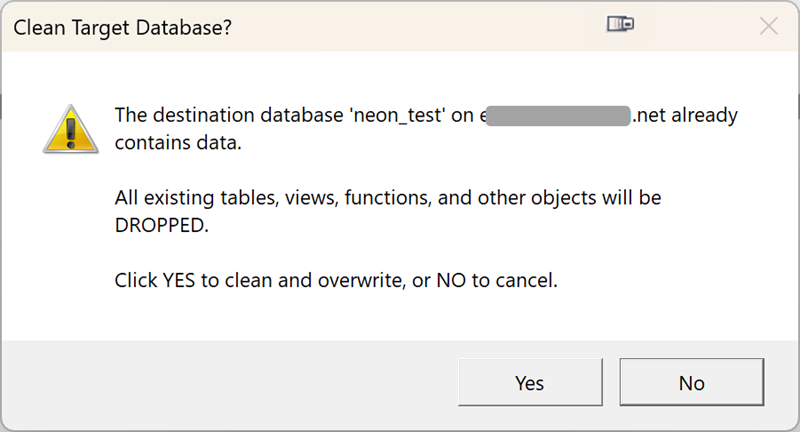
Destructive operation
Full mode drops all existing data in the destination database. Make sure you've selected the correct destination.
If a table selection is active, the confirmation offers a choice instead: Replace Selected (only the selected tables are dropped and re-created) or Clear All (the destination ends up containing only the selected tables).
Pipeline Stages
Connect → DetectCapabilities → ReadMetadata → ApplyTableFilter → AnalyzeDependencies
→ CreateSchemas → CreateExtensions → CreateSequences → CreateTypes
→ CreateFunctions → CreateTables → ReconcileColumns → CopyData
→ CreateIndexes → CreateConstraints → SyncSequences → RetryFunctions
→ CreateViews → CreateTriggers → Validate → ReCopyMismatched
Tips
- Use an empty destination database for the cleanest results
- If you need to preserve the current destination, use Backup mode first
- For large databases (50GB+), consider running during off-peak hours for better network throughput